Availability & recovery
High availability with automatic failover, durable queues, message archives and replay help your team keep integrations running and recover failed messages.
Explore the runtime ↗ linkiir15-day sandbox ↗
THE PRODUCT / LINKIIR GRID
A healthcare integration engine built for production. Connect, transform and orchestrate your data with control at every layer.
FOLLOW A MESSAGE THROUGH GRID
Watch a documented HL7 workflow receive, parse, map and deliver a message. Follow one continuous flow from source to destination.
You configure connections, mappings, acknowledgments and recovery policies. Delivery between nodes is at-least-once, so receivers should handle duplicates. Message history is copied to the Log DB in the background; availability depends on configured retention.
INSIDE LINKIIR GRID
Build workflows, monitor the runtime and inspect messages. A closer look inside Linkiir Grid.
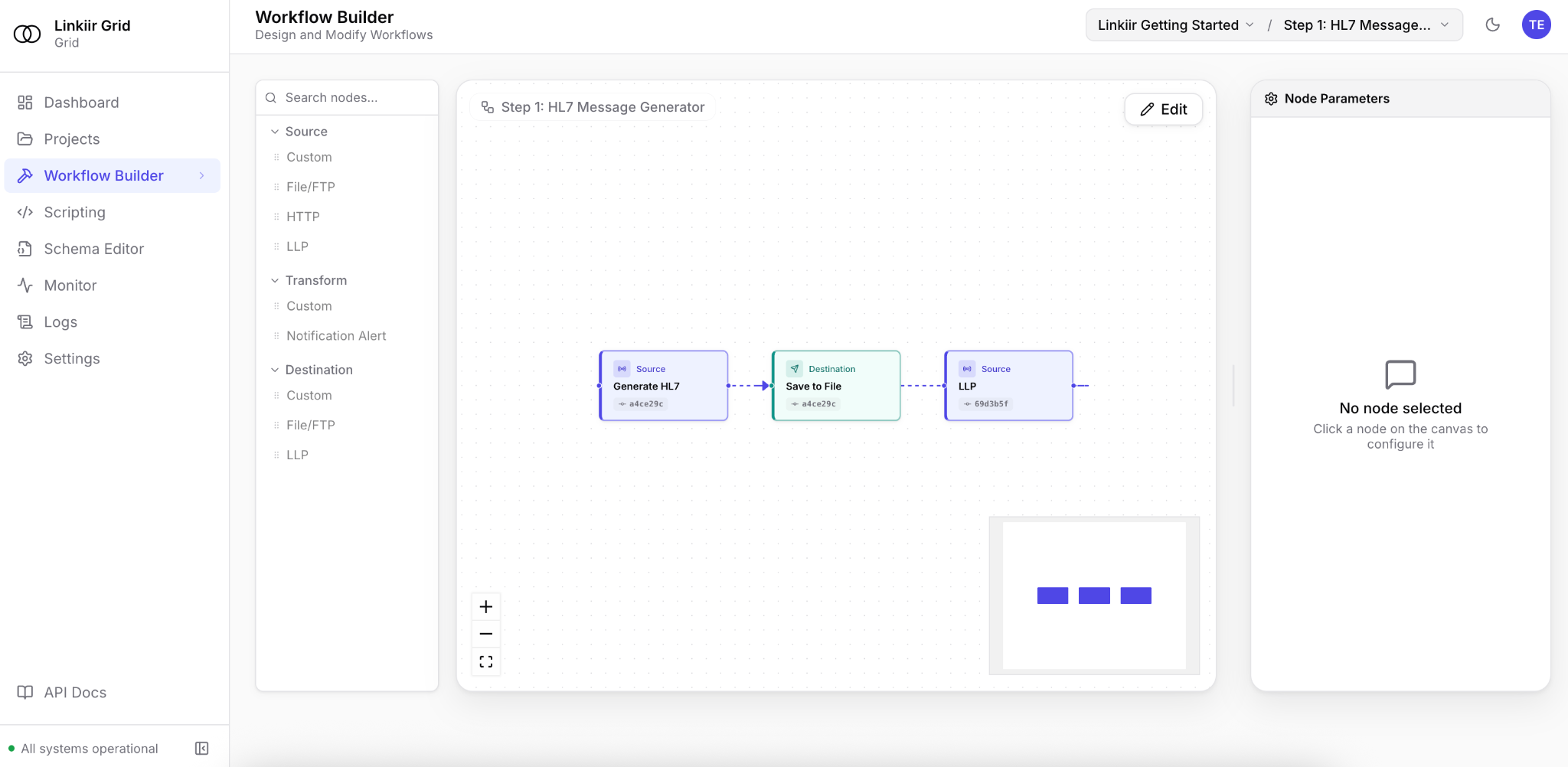
Connect and configure workflow nodes in one visual workspace.
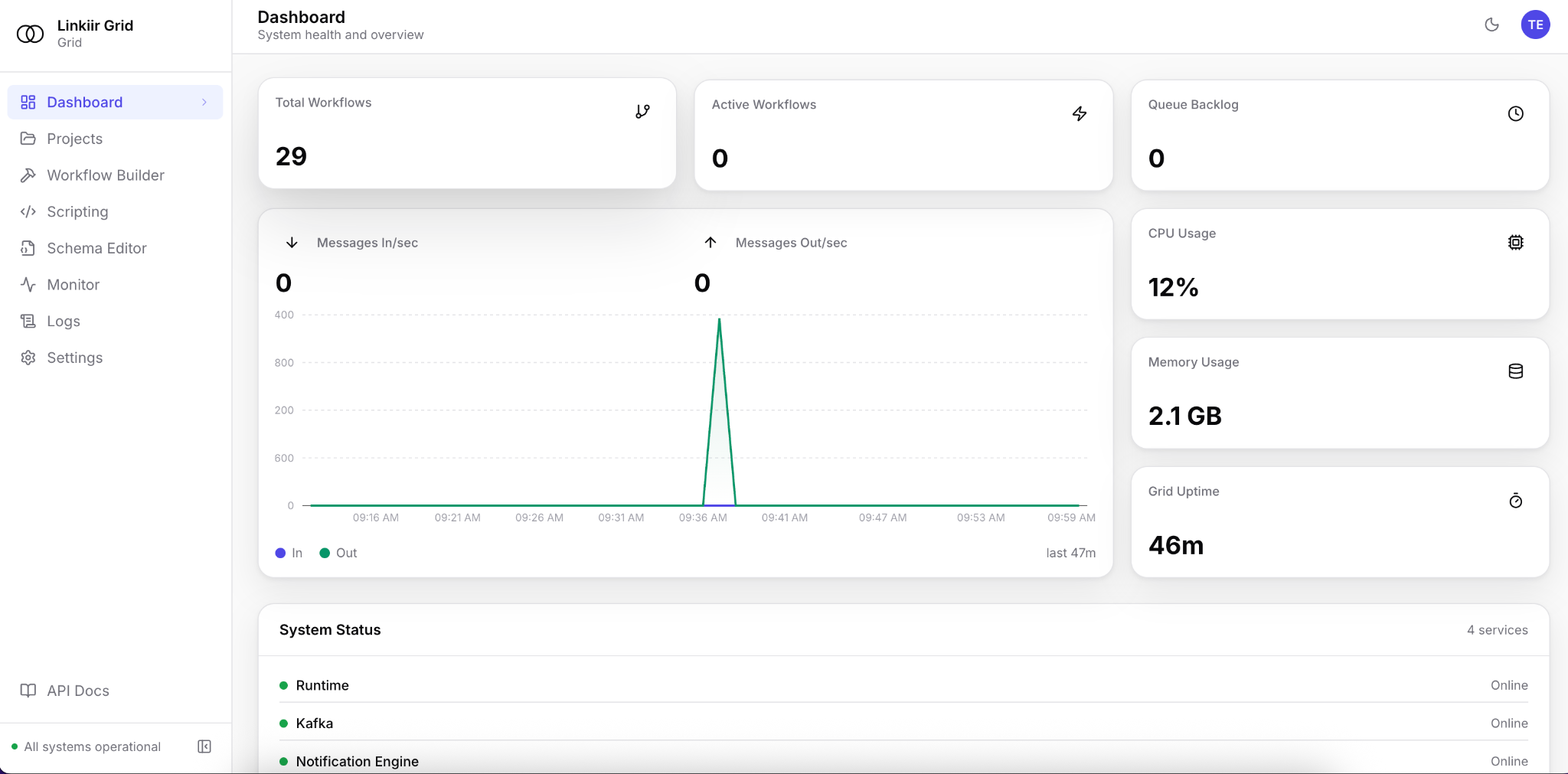
Inspect workflow counts, message activity and system status.
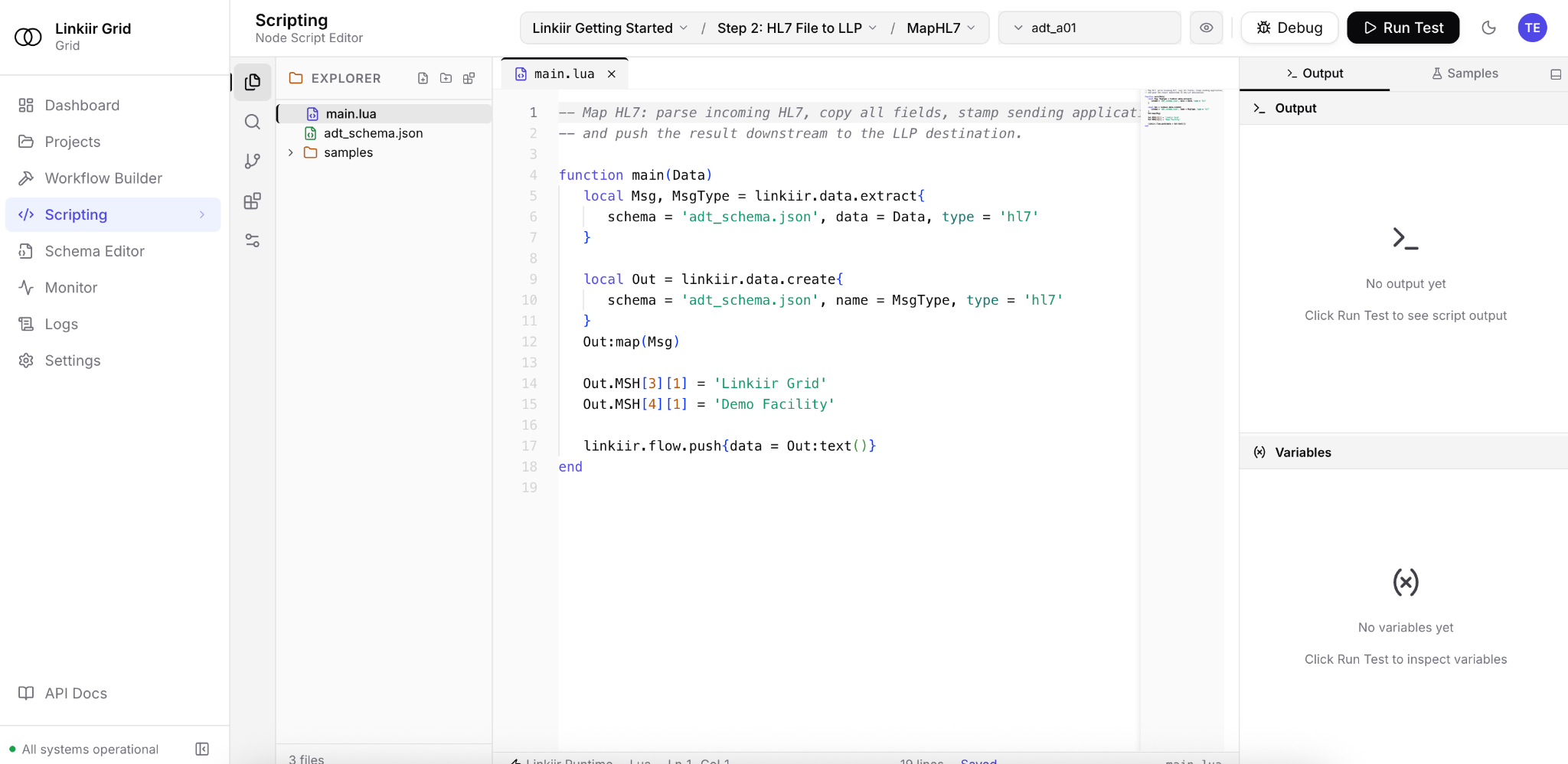
Inspect transformation logic, samples and debugging tools in the embedded editor.
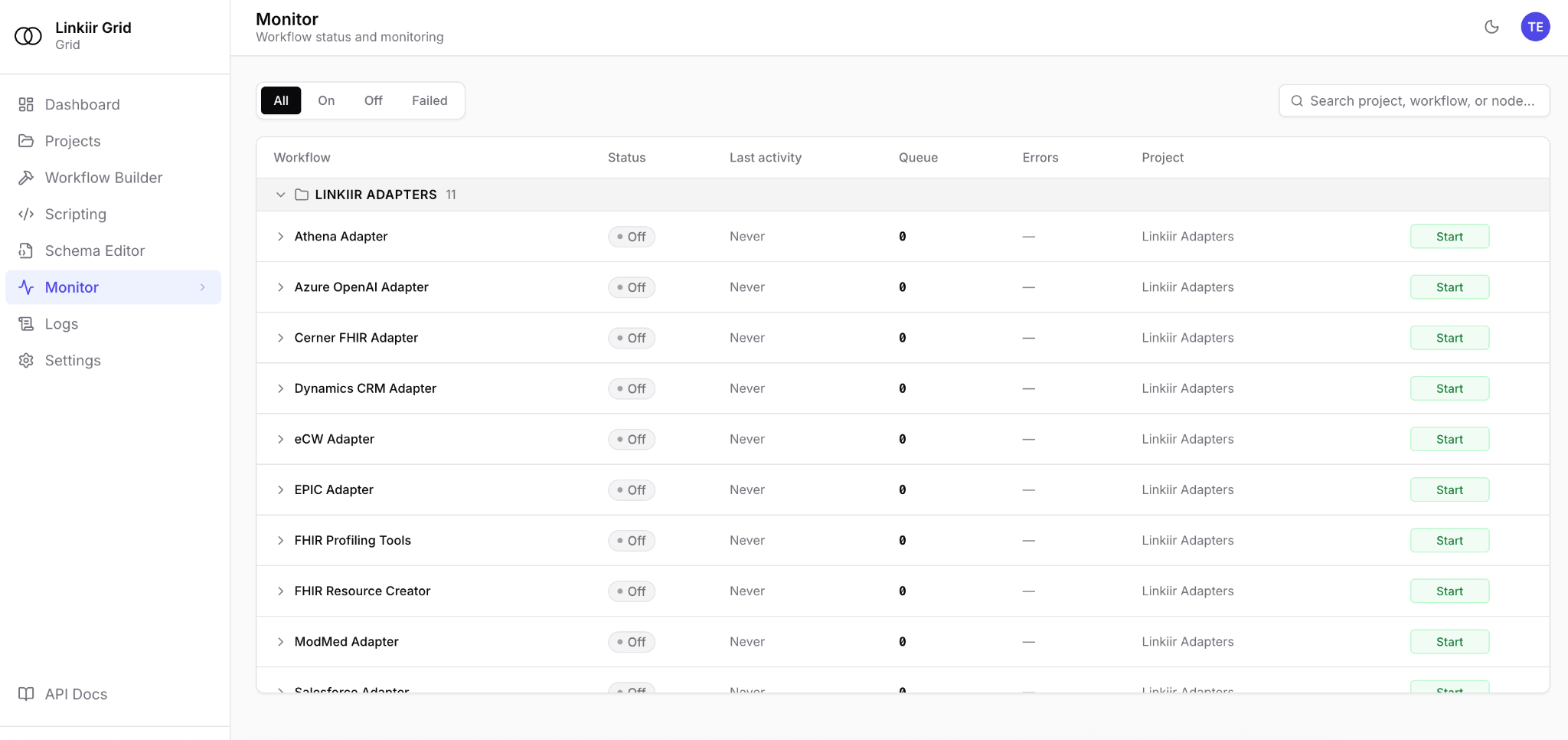
Review workflow status, queues and errors across your projects.
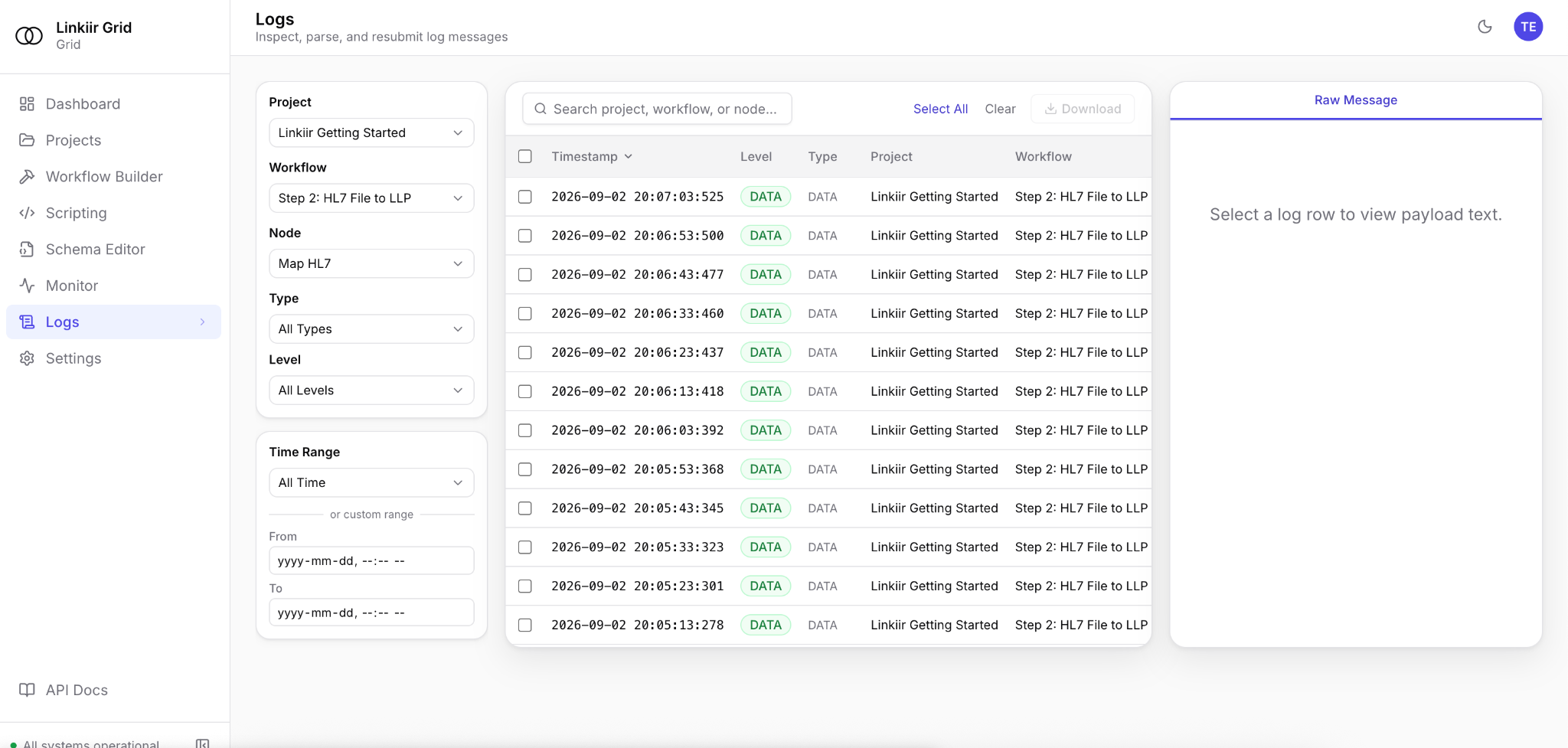
Filter message history by project, workflow, node, type and time.
THE LAYERS OF LINKIIR GRID
Choose a layer to see where it fits in the data flow.
WHERE LINKIIR FITS
Grid is the integration layer that connects the systems you use to the data you need. Explore what happens inside.
Pre-tested adapters for EHRs, labs, PACS, pharmacy, clearinghouses, HIEs and data platforms. Connect through APIs, files or message brokers.
HL7 v2, FHIR R4/R5, X12 and XML parse into typed objects. Use AI-assisted mapping, reusable libraries and real message samples to inspect and validate your data. Lua remains available for advanced customization.
Queue, acknowledge and archive messages. Route between systems, inspect failures and replay the messages that need another pass.
Role-based access, encryption and audit trails keep control of the data flow. Monitor workflow health, queue depth and throughput from one console.
AI BUILT INTO GRID
Build without writing code.
Verify before it runs.
Use Grid’s optional AI Assistant to build, diagnose and fix integrations through approved API tools. Reads and changes follow the signed-in user’s permissions. Review proposed changes and approve commits before deploying. Configure a self-hosted or external model provider. The embedded Lua editor, shared libraries, debugger and Git-backed projects remain available.
Explore AI in Grid ↗Inspect parsed healthcare messages instead of splitting strings.
Review AI-prepared logic and test the output before your team approves deployment.
Iterate against real, de-identified messages before you deploy.
BUILT TO KEEP RUNNING
Queues, acknowledgments and archives give each message a durable path through the runtime.
Monitor throughput, queue depth, structured logs and the health of every workflow.
Run on premises using Kubernetes, a single VM or multiple VMs. Use high availability with automatic failover when you need it.
READY FOR YOUR PRODUCTION ENVIRONMENT
Your organization controls the integration lifecycle: deployment, access, AI model configuration, recovery and change approval. Linkiir provides the engine; your team makes the operating decisions.
High availability with automatic failover, durable queues, message archives and replay help your team keep integrations running and recover failed messages.
Explore the runtime ↗Role-based access, MFA, SSO, encryption and audit trails give your team controls for managing access and reviewing activity.
Review security controls ↗Use Git-backed projects, de-identified samples and human verification to review changes before deployment. Keep the implementation available for inspection.
Explore the build workflow ↗Inspect throughput, queue depth, workflow health and structured logs. Follow a message, investigate a failure and replay the affected traffic.
See the product ↗Bring your requirements to a technical review. Validate the proposed configuration against your operating environment before production.
| Area | What to establish |
|---|---|
| Infrastructure | On-premises topology, Kubernetes or VM deployment, network access and ownership. |
| Workload | Peak message volume, payload sizes, transformations and destination response times. |
| Recovery | Failover behavior, backup and restore procedures, and recovery-time and recovery-point objectives. |
| Governance | Identity integration, roles, retention requirements and audit review. |
| AI deployment | Model configuration, data access boundaries and the human verification process. |
| Production acceptance | Representative test messages, output validation, load testing and a staged cutover plan. |
SECURITY & GOVERNANCE
Protect messages with encryption in transit and at rest. Manage access with roles, MFA and SSO. Keep an audit trail of access and actions.
Review your deployment, access policies and data-handling requirements with your security team. Request Grid security documentation to support your assessment. Support can work from structure, metadata and error codes without patient data.
Request security documentation ↗MAKE THE MOVE
Bring interfaces from Iguana, Mirth Connect, Rhapsody, Cloverleaf and other engines. Validate the output before you change the route.
SIMPLE LICENSING
The engine, dashboard, Schema Builder, APIs, archives, scripting, high availability and migration tooling. Unlimited interfaces, messages, users and non-production environments.
AI Assistant access requires an AI-enabled licence and administrator setup. Confirm the licensed features and deployment requirements in your proposal. Implementation and engineering support are available when you need them.
Talk pricing ↗LET’S MOVE HEALTHCARE FORWARD